user@devops:~$ cat README.md
Process Manager
# Description
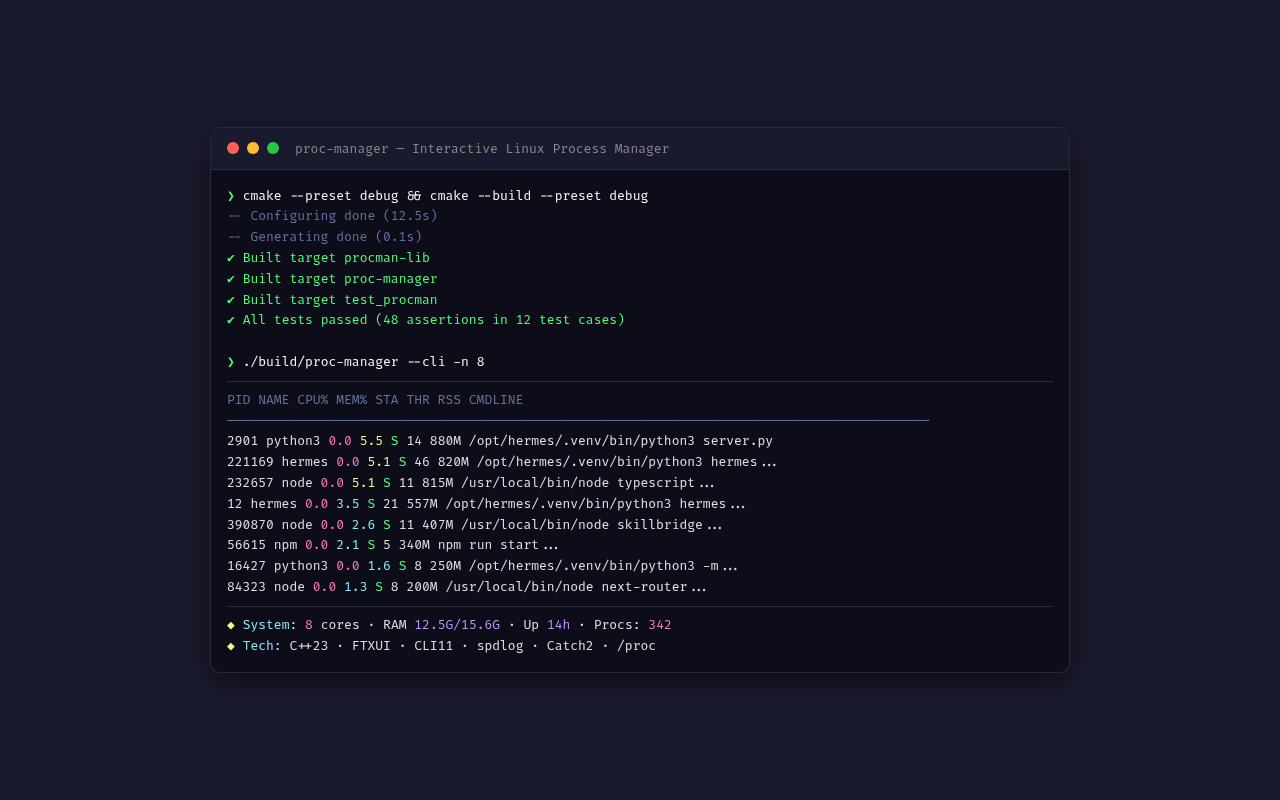
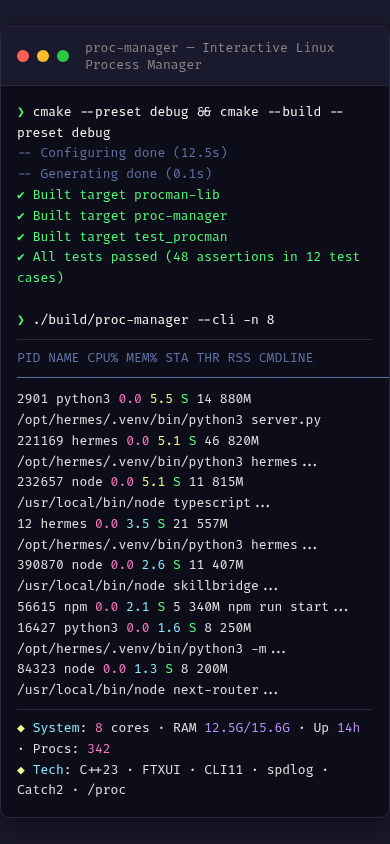
Process Manager is an interactive Linux process monitor that reads detailed information from the /proc filesystem. Developed in C++23 with FTXUI for the interactive TUI interface, CLI11 for argument parsing, and spdlog for logging. Displays a real-time process list with PID, name, CPU%, MEM%, state, thread count, and RSS memory usage. Features sortable columns (by CPU, memory, PID, name, state, or threads), name and PID filtering via search input, togglable sort direction, and system overview (CPU cores, RAM usage, uptime). Uses the RAII pattern with std::expected for robust error handling when reading /proc files. The TUI interface uses FTXUI ScreenInteractive with a background refresh thread and PostEvent mechanism for periodic 2-second updates. Includes a CLI mode with formatted table and JSON output for script integration. Library/executable architecture with Catch2 unit and integration tests covering process reading, list operations, and error handling.
# Key features
$ Real-time process listing with PID, name, CPU%, MEM%, state, threads, and RSS
$ Sortable columns: CPU, memory, PID, name, state, or thread count with direction toggle
$ Process filtering by name or PID substring with search input
$ System overview: CPU core count, total/available RAM, uptime
$ Colored state indicators: running (green), sleeping (cyan), disk sleep (red), zombie (red light), stopped (yellow)
$ CLI mode with formatted table and JSON output for monitoring scripts
$ Automatic 2-second refresh via background thread with FTXUI PostEvent
# Gallery
# Technologies used